Video Tape Transfer
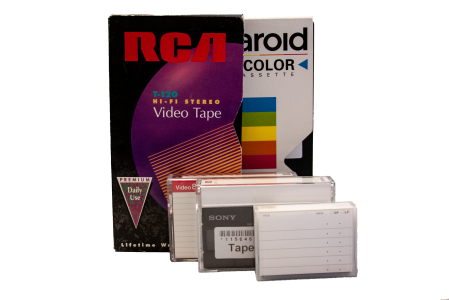
Tape to Digital - $14.95 per Tape
Video Tape Digitization. The media you choose at checkout will determine how you get the videos back. Choose DVD media for DVD playable videos and/or Flash Drive or Download for MP4 files.
Exclusive Video Tape Features
Make Snapshots
Create as many digital photos as you like from your tapes -- right on our website.Video Tapes to Searchable Text
Quickly see what's on your tapes and search across all your tapes by keywords like baby, dog, tree and even things like Christmas. Learn more...View Tapes Online Instantly
No waiting for the shipment backBlank Video Trimming
We clean up your digital videos by removing the leading and trailing blank spaces.DVD or CD To Digital Files - $14.95 per Disc
We can extract the video or photo data from a DVD and place them on a Flash Drive as long as the disc itself is undamaged, finalized, and has no copyright or other digital locks on it. Does not include the flash drive. Please also add at least 1 flash drive to your order.
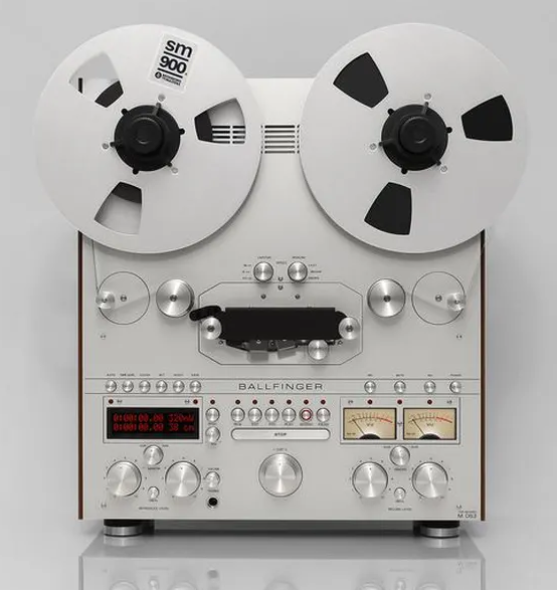
Reel To Reel Audio to Digital - $14.95 per Tape
Reel To Reel Audio Tape Digitization. Must choose Flash Drive or Download for MP3 Audio files.
Cassette Audio Tape to Digital - $14.95 per Tape
Cassette Audio Tape Digitization. Must choose Flash Drive or Download for MP3 Audio files.




Transfer Home Movies To Digital
Wow!!
We're extremely impressed with your level of personal service, the high quality of duplicating our videos to disk and the expediency that your staff performed this task.
Thank you for saving our family treasures.

Our Unique AI makes reviewing your tapes quick and easy
Learn more about how our automatic tagging system lets you search across all your tapes to quickly review what's on them. Learn more about our Video Tape AI
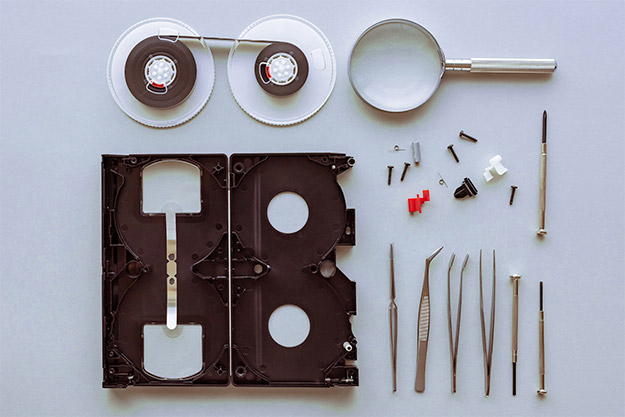
We Fix Broken Tapes
Our team of talented video technicians can salvage your broken tapes. We charge $30 a tape for repair. We are unable to repair tapes that have experienced water damage, fire damage, or mold.
Tape Formats & Specs
VHS Tapes
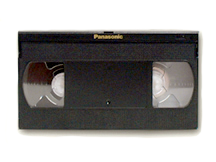
2-6 hrs - Video Home System developed by JVC utilizing half-inch tape, which is the most widely used video format.
Super VHS

30 mins-2 hrs - A higher quality version of the VHS videotape format with a sharper picture and resolution similar to that of HI-8. This format is used for videographers mostly for shooting and editing.
VHS-C
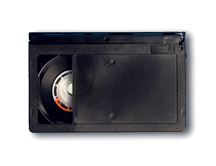
45-90 mins - A regular VHS video tape wound into a smaller cartridge. Since the cartridge is smaller, the length of VHS/C tape is limited to a maximum of 45 minutes - though longer times can be achieved using a long play mode, the quality usually is poor compared to the faster speed. The compact tapes are inserted into your VCR using a cassette adapter which comes with each VHS/C camera. Once inserted, the tape plays just like any other VHS tape you've ever used..
8mm Tape
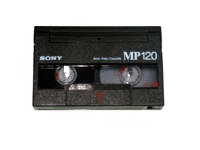
30 mins-2 hrs - Camcorders often have many of the best features found in higher priced HI-8 units, including image stabilization, strong optical and digital zooms and innovative special effects. Regular 8mm tapes are the exact size and shape as their HI8 counterparts, but record video at a lower resolution level, and therefore, are less expensive than camcorders which produce better image quality.
Hi8
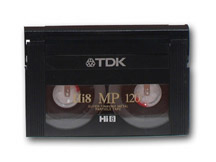
30 mins-2 hrs - Camcorders record their signal at about 400 lines of resolution, slightly less than Mini DV, but substantially higher than 8mm or regular VHS formats. Most often, HI-8 camcorders record sound in hi-fi stereo. Slight quality loss is suffered when copying or editing from HI-8, but a better than average image is maintained. Tapes from HI-8 camcorders generally must be played using the camera as the source, which means the user often must connect cables to their television or VCR. HI-8 tapes can be bought in 30, 60, and 120-minute lengths.
Digital-8
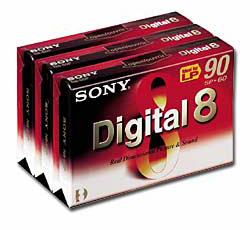
45-90 mins - A format that is far superior to HI-8 or 8MM. Sony was the first to introduce this format and has done a great job. It is backward compatible, meaning that the new Digital8 camcorders and VCR's will also play your 8MM and HI-8 tapes. You do not have to buy special tapes to record in Digital8. A regular 8MM or HI-8 tape will record up to 60 minutes of digital video and audio. Because of the design, using regular tapes is not a problem, but it uses twice as much tape. A 2 hour HI-8 or 8MM tape will record 60 minutes when done in the Digital mode and records up to 500 lines of resolution.
MiniDV
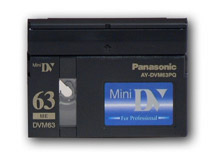
30-80 mins - The smallest of the video formats. They take and maintain crystal clear images because of the nature of a digital format. Editing enthusiasts benefit from Mini DV as well, since copying between two units is done with no quality loss. That means edited or copied video looks and sounds every bit as good as the original footage. Mini DV tapes are available in 30, 60,63 and 80 minute lengths. Digital camcorders have the highest resolution of all the camcorders, starting at 500 lines.