|
Sure, sending your family’s pictures to DigMyPics will allow you to have them in a
digital format more appropriate for today’s world, but these pictures will also benefit
from our sophisticated hardware and software as well as the talent of our digital imaging
professionals. You'd be amazed at the number of slides, negatives, and prints we
can make look new again!
Scanning
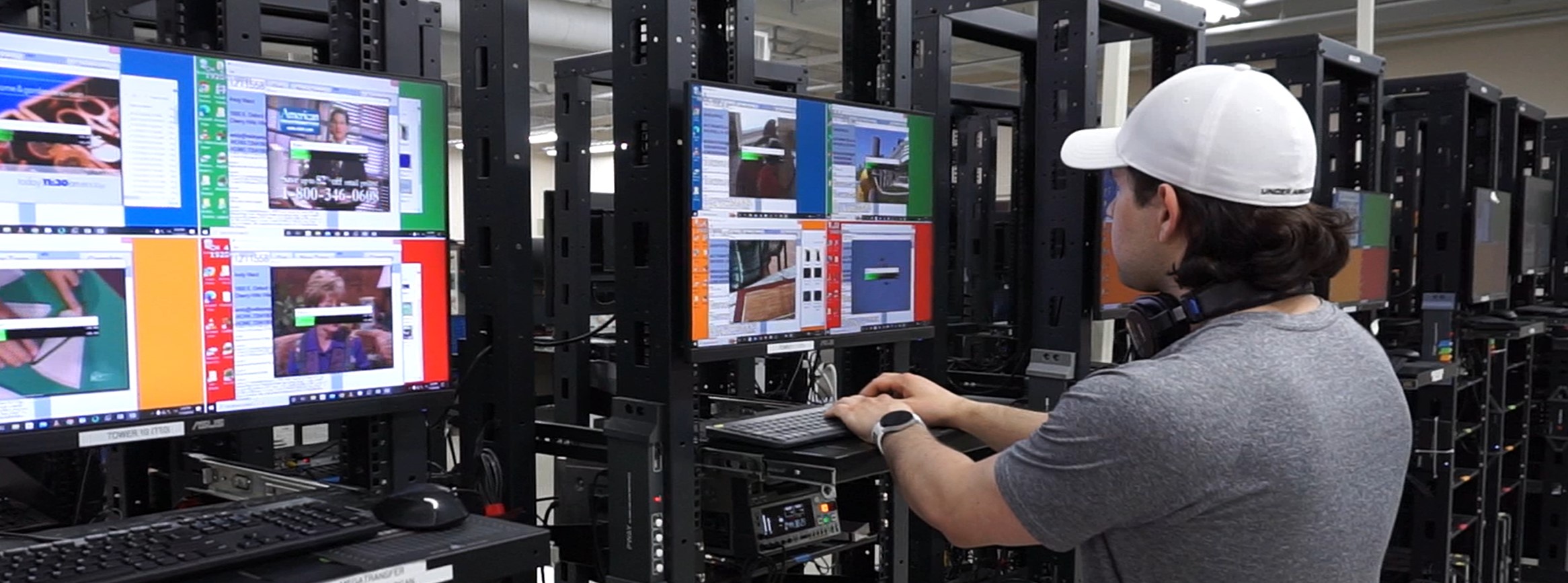
Each and every image is evaluated by our scanning technicians and
Digital ICE, the only software we utilize while
scanning, is applied whenever possible. Why don’t we use other software like Digital
ROC and Digital GEM? The answer’s pretty simple, really: the settings that look
good on the first slide or set of negatives may not look so great on the second.
The best method of ensuring fantastic results is to make sure our scanning techs are
trained to know the best settings for every type of film and to apply Digital ICE
when it improves the image. Sometimes this means that the scanner processing your job
scans the same slide or group of slides several times.
Our internal database lets your project’s scanner write notes about your slides and
negatives. You can view the notes by going to your own
Real Time Scanning page, and the folks in our post
production, customer service, and shipping departments can also view the details about
your order.
Once your project is completely scanned, it moves to our
Post Production Department.
Post Production
Our skilled Post Production technicians have backgrounds in the arts. They use Abode
Photoshop (the industry standard digital imaging software) to perform basic color
enhancement to all of your images.
What does enhancement include?
Improving contrast
Improving exposure problems when possible
Improving color and correcting color problems when possible, making the main subject
of the image our priority
We do our best to correct as many issues as possible, but the quality and condition
of your film is the major deciding factor in what we can accomplish. Some film problems,
such as mold growth, require specialized digital restoration services to remove and are
not considered basic enhancement.
Digital ICE
One of the best technologies available in specialized film scanners is Digital ICE Dust
and Scratch Removal. While some flatbeds have come to market claiming to have this
feature, we've found that the technology doesn't perform like it does in a
dedicated film scanner like the Nikon Coolscan 5000s we use at DigMyPics.
Want to know some of the technical details? Digital ICE works by doing a scan of the film
with Infra-red (IR) light. This IR scan enables the machine to visualize surface defects
in the film, like dust and scratches. The scanner then scans the film normally. Using the
map of defects from the IR scan, special software can replace the defective areas by
interpolating between the pixels around the defect. It then fills in that area with an
approximation of what was likely beneath the defect. The results are often amazing.
Look at this 40 year old slide, scanned without using ICE:

Here is the same slide scanned with ICE:
See how much dirt the software was able to remove? Using Digital ICE adds 30 seconds or
so to each scan, but it would have taken a talented artist hours or days of work to clean
up this image in their photo editing software.
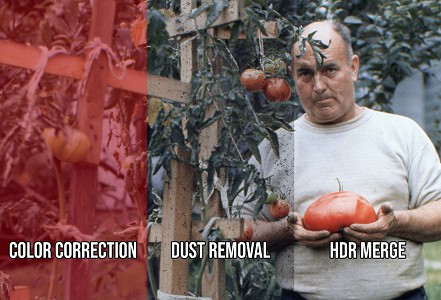
This is the final image after our photo editors have cleaned up the color and exposure:
You'd never know that slide was 40 years old! Let’s look at the difference in
a split screen:
We’ve done nothing but sing Digital ICE’s praises, but there are some caveats. Digital
ICE doesn't work with most B&W film and there are sometimes errors in scans of
Kodachrome film. As you saw a few moments ago, the technology does work, but it works
best with small pieces of dust and fine scratches. Large blotches (such as those created
by mold growth) can not be recovered using this technology. Those types of images may
need additional help from a specialized digital restoration service.
As always, if you have any questions, please give us a
call or email us at
sales@digmypics.com
|