Q&A's
Digitizing Project Questions
Digitizing your photos and film is an easy process. All you need to do is pack up all of your photos, slides, negatives, movie reels, video tapes and ship them to our high-tech facility in Gilbert, Arizona.
- Gather your photos and film then fill out an order form online. Once you hit the Submit Order Information button you will be able to schedule a FedEx Pickup or drop off or print a generic shipping label to use the courier of your choice.
- When we receive your package, you will automatically be sent an email advising you that your project has arrived at our facility. We will then weigh, photograph and place your project in a sealed bin for placement in the queue.
- Photos: Watch as we scan your photos with our exclusive Real Time Scanning™ feature.
- Photos: Once your photos have gone through basic enhancement and quality review, you will receive the link to Don't Want, Don't Pay™ to Review, Delete or Approve.
- 8mm Transfers: Once your movies are converted and the footage has been manually cleaned up and color enhanced by our videographers, you'll get a link to review, rearrange, and title the clips for your DVDs.
- Video Tapes: We capture directly to DVD or hard drive. They are not available for online viewing.
- Approve your new photos and 8mm transfers and make final payment for your project online.
- We then ship back your original photos, movies and your new digital media so you can start smiling all over again!
There are several tips for estimating the quantity of the materials you have to digitize. Your estimate will be used to calculate the prepayment of your project. Once the project is complete you will be billed for the exact number of scans.
- Prints - 1 inch stack = 100 prints
- Slides - 1 inch stack = 20 slides
- Negatives - 1 roll = 24 to 36 frames
- APS Cartridges - 15 to 40 frames (the number of exposure is printed on the cartridge)
- Movie Film - 3-inch reel = 50-FT, 5-inch reel = 200-FT, 7-inch reel = 400 FT
We will strive to get your order completed quickly but we will never rush orders through just to get them done. Remember that each photo and video is converted by hand and that at least 3 people are involved in making sure your job is completed to our high standards of quality.
We can usually get specialty film done quickly too, but it may take a little longer. Business days are regular Monday through Friday excluding Holidays.
Standard Prints, APS, 35mm Slides & Negatives
~15 business days
2401+ photos
20+ business days
add ~5 business days to above turn times
Reel Transfers
<1000 feet
~10 business days
1000-1999 feet
~12 business days
2000-3999 feet
~15 business days
4000+ feet
18+ business days
Video Tape Transfers
<10 Tapes
~10 business days
10-19 Tapes
~12 business days
20-39 Tapes
~15 business days
40+ Tapes
20+ business days
Estimated turn times are in Business Days and based on Standard Transfer, additional services such as sound and repairs will increase the turnaround time. Quantities are per customer, not per order.
Yes!The additional cost for this service is 50% of the scanning price or $50, whichever is greater. We do this in order to pay an employee to work overtime in order to move a customer ahead in the queue to be processed. We will have to schedule a technician to work on your rush order, so please call or email ahead of time to see if we can accommodate your timeline.
We do require at least enough scans to total $30. This helps cover the costs associated with processing your order and setting up your job to scan. If you only send us 1 photo to scan, that 1 scan will effectively cost $30 plus media and shipping.
Yes! Place your order online. The only difference is our automated FedEx tracking system cannot handle international shipping. Just print out the generic address label and send your order through your preferred courier.
Of course! All of the original materials sent with your order will be returned along with your digitized materials, unless you specify otherwise.
View your photos online as they are being scanned with our revolutionary and exclusive Real Time Scanning™ feature! You can check your order online, anytime, day or night. Not only do you know where your photos are at any given moment, you can even track your order's progress throughout the entire scanning and transfer process.
Can I delete the photo scans I don't want?
Yes, with our Don't Want Don't Pay™ feature we allow you to delete the pictures we scan for you that you don't want and get refunded up to 20% of the cost of the photo scanning.
Once your scanned photos have gone through basic enhancement, such as exposure and color correction, you will receive an email with a link to Don't Want, Don't Pay™. You may then review and delete or approve your scanned photos online. We will credit up to 20% of each photo-type in your order. This provides you with the flexibility to delete as many images as you don't want and receive a credit of up to 20% off the scanning fee!
Please Note: This feature only applies to photo scanning and not toward our video transfer service. Specialty services such as expedite fees, slide remounting fees and album page removal fees are non-refundable. You will have up to 21 days to review and complete your order or be subject to full price.
Media Storage Questions
Digmypics offers many options to receive your scanned photos and film back!
- Flash Drive or External Hard Drive
- Disc Set
- Thumbnail Album
- Digital Download
- External Hard Drive
- Flash Drive
- DVD Movie
- External Hard Drive
- Flash Drive
- DVD Movie
Slides and Negatives are scanned at a high resolution of 3800 dpi 17 MP (Mega Pixels).
Choosing resolution for prints
600 dpi is the recommended resolution for scanning your prints. The higher resolution is important when it comes to enlarging, reprinting, and editing, the photos. For prints smaller 4x6 you should consider having them scanned at 1200 dpi.
We will make every effort to help you organize your photos and make finding and enjoying your new digital files easy. Because small groups slow down our process, please help us by making each of your groups contain at least 30 or more slides or prints and at least one roll of film for negatives.
You can have smaller groups for just $2.00 additional per group. You can then give a name to each of those groups and we'll create folders with those names. We will scan your photos in the order they are received.
We keep all of your files at full resolution in TIFF format for at least 14 days after your order has been shipped back to you and at full resolution in JPEG format for about 30 days more. While we think it is a great idea to have your images backed up on a hard drive and on discs, you can't beat the added protection of redundant online storage.
if you purchase the download option, we will store you images on our servers for at 365 days.
Yes, you can absolutely make copies of your digital files.
Page content not found
Shipping Questions
We recommend that you group your images chronologically and by short subject. We ask that you keep your groupings to 30+ pictures. We may charge a handling fee of $2.00 per group if you consistently have groups of less than 30 prints or slides or less than a complete roll of film.
We recommend that you use FedEx to ship your order. Our partnership with FedEx allows you to print your own shipping label that you won't be charged for until we've completed your order. All shipping charges will be included in your order's total.
If you opt to use another courier, we strongly suggest that you use an air service with package tracking available. You also have several return shipping options on our online order form.
Digmypics only charges the posted shipping rates on the FedEx and USPS websites for return shipping.
Pricing Questions
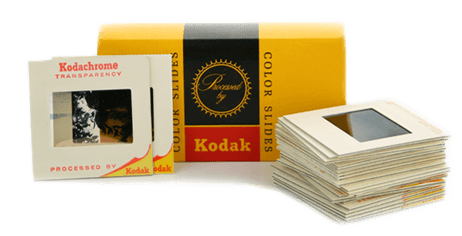
Slides Scanned - 49¢ per scan
- 35mm Slides
- 35mm 1/2 Frame Slides
- 110 in 2x2 mounts
- 126 Slides
Non Standard Slides - $1.29 per scan
- 110 Pocket Slides in 1x1 mounts
- 3D Stereo Slides
- 127 Super Slides
Medium Format Slides
- 2000 DPI Scans $1.99 per scan
- 4000 DPI Scans $7.99 per scan
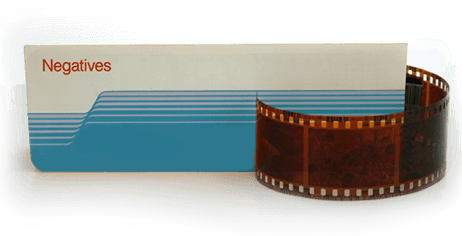
Standard Negatives - 49¢ per frame
- 35mm Negative Strips
- 35mm 1/2 Frame Negative Strips
Specialized handling is required for single frame negatives.
Non Standard Negatives - $1.29 per frame
- 110 Negatives Strips
- 126 Negative Strips
- Disc Negatives
Specialized handling is required for single frame negatives.
Medium Format Negatives
Medium Format Film is between 1.5 x 1.5 inches up to 2.4 x 3.5 inches.
- 2000 DPI $1.99 per frame
- 4000 DPI $7.99 per frame
Large Format Negatives
Large Format is for Negatives above 2.4" x 3.5" to 4" x 5".
- 1000 DPI $2.99 per frame
- 2000 DPI $7.99 per frame

How much does it cost to scan prints?
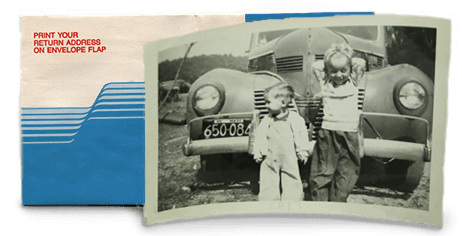
Standard Printed Photos 600 dpi - 49¢ per scan
Standard Printed Photos 600 dpi - 49¢ per scan
Standard Printed Photos up to 8x10 at 600 dpi.
Standard Printed Photos 1200 dpi - 89¢ per scan
Standard Printed Photos up to 8x10 at 1200 dpi. Produces 4 times as many pixels as a 600 dpi scan.
Recommended for prints that are 4x6 or smaller.
Non Standard Prints
Cards, children's artwork, documents, IDs, clippings, etc. Up to 8x10
- 600 DPI $1.15 per scan
- 1200 DPI $2.25 per scan
Over Sized Printed Photos - $4.95 per scan
Photos, newspaper clippings, children's artwork greater than 8" X 10" and less than 11" X 14"
- 300 DPI $4.95 per scan
- 600 DPI $5.95 per scan
Remove Prints from Albums - 59¢ per image
We can remove the pictures from the album or we can scan the page and digitally crop out each individual photo. This is a premium service. This is just the charge to remove the photos from the albums. Scanning is additional.
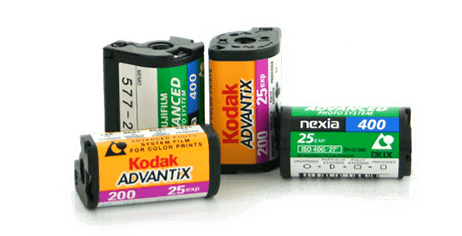
APS Film - 49¢ per scan
Enter the number of exposures. APS cartridges come in 15, 25 and 40 exposures. Pricing is per picture, not per cartridge. Scan Resolution is 4000 dpi and includes color corrected, rotated and ready to show digital photos.
How To Determine if your APS cartridge is developed
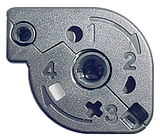
Check that the dial is in 4th position to determine if the APS cartridge has been developed. We are unable to develop film at our facility.

High Definition Film Capture - 30¢ per foot
- HD 1080p (1920x1080)
- Frame by Frame
- Manual Color Correction Included
- Cleaning and lubrication Included
Movie film is captured frame by frame in HD 1080p and then color corrected by our professional video editors.
Sound - INCLUDED
We will include the sound from your 16mm Optical Sound Film and Super8 Film at no additional charge.
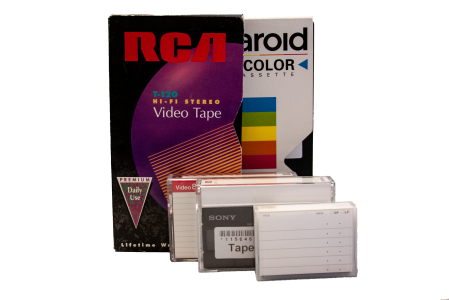
Tape To Digital - $15.00 per Tape
Video Tape Digitization. The media you choose at checkout will determine how you get the videos back. Choose DVD media for DVD playable videos and/or Flash Drive or Download for MP4 files.
Exclusive Video Tape Features
Make Snapshots
Create as many digital photos as you like from your tapes -- right on our website.Video Tapes to Searchable Text
Quickly see what's on your tapes and search across all your tapes by keywords like baby, dog, tree and even things like Christmas. Learn more...View Tapes Online Instantly
No waiting for the shipment backBlank Video Trimming
We clean up your digital videos by removing the leading and trailing blank spaces.DVD or CD To Digital Files - $15.00 $12.00 (20% OFF) per Disc
We can extract the video or photo data from a DVD and place them on a Flash Drive as long as the disc itself is undamaged, finalized, and has no copyright or other digital locks on it. Does not include the flash drive. Please also add at least 1 flash drive to your order.
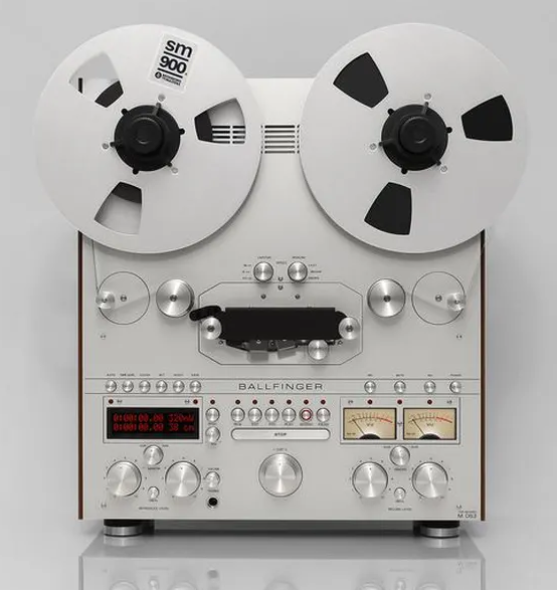
Reel To Reel Audio Tape To Digital - $15.00 per Tape
Reel To Reel Audio Tape Digitization. Must choose Flash Drive or Download for MP3 Audio files.
Cassette Audio Tape To Digital - $15.00 per Tape
Cassette Audio Tape Digitization. Must choose Flash Drive or Download for MP3 Audio files.